Can my coparent's message appear in the notification?
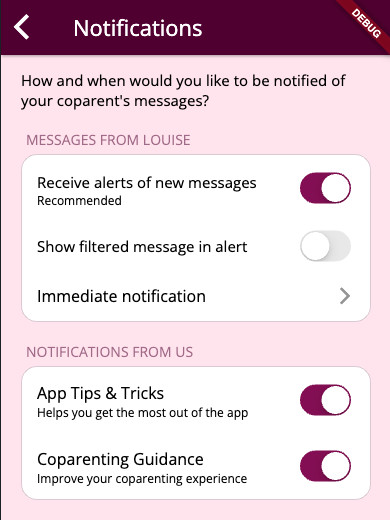
By default, we notify you when a new message has come through from your coparent with a generic message. If you would like to instead see the filtered message from your coparent in the notification, you can enable this feature in notification settings:
- Open the BestInterest app.
- Tap the Settings icon at the bottom of the screen.
- Tap “Message Notifications”.
- Tap to enable “Show filtered message in alert”.
- If you don’t see this option, make sure that Notifications are enabled and that your notifications are set to arrive “Immediately” instead of “Weekly” or “Daily”.