Your supportive partner in overcoming co-parenting challenges.
Coparent Coach helps you understand a difficult exchange, find a clearer and more child-focused place to start, or think through a parenting challenge. You get private, on-demand guidance—and you stay in control of what happens next.
Free plan includes three sessions each day. Connect includes six. Protect and Protect Plus include unlimited coaching. Compare plans.
Quick answer
What is Coparent Coach?
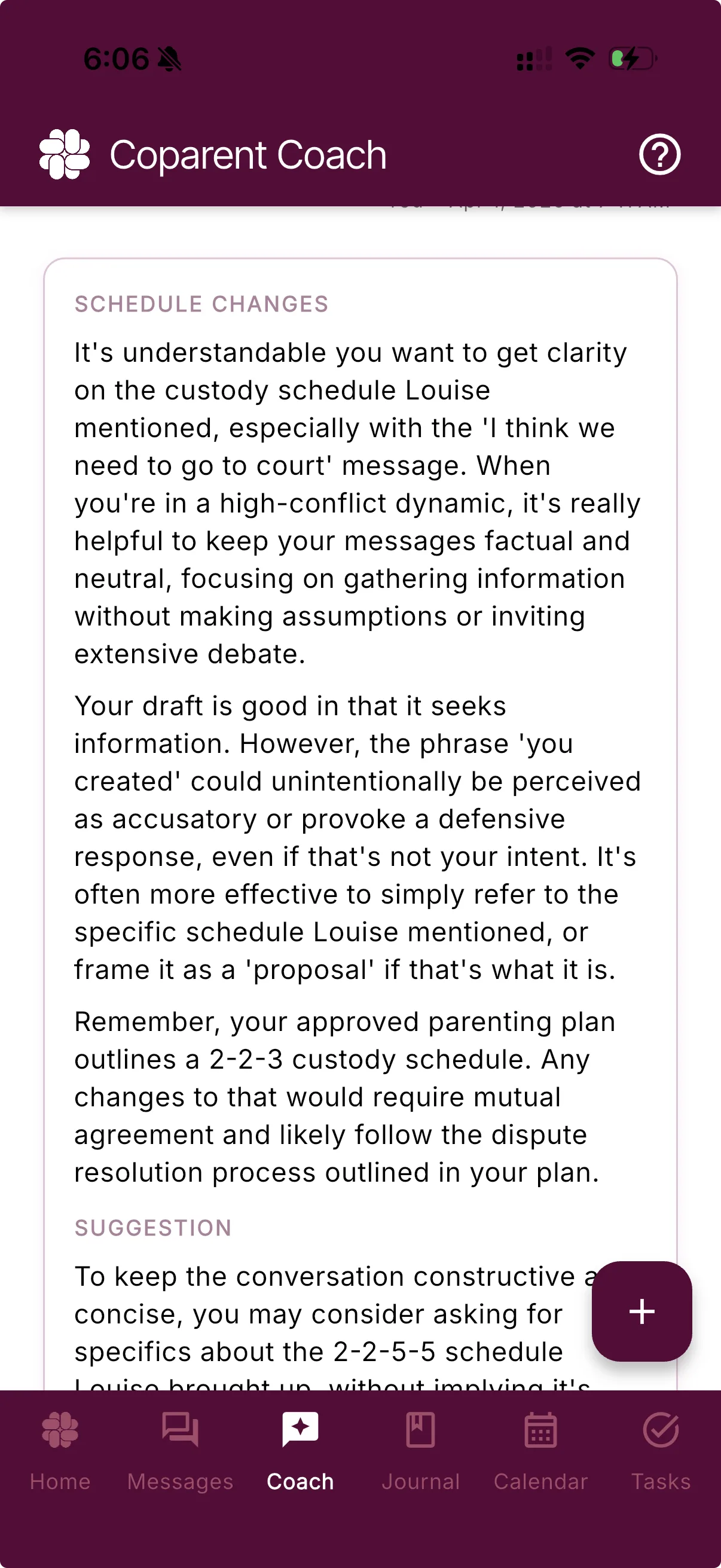
BestInterest's Coparent Coach is an AI co-parenting coach built into the app. It can review a message draft, help you think through a message you received, or offer ideas for approaching a parenting challenge. It is available on demand, and the Free plan includes three coaching sessions per day.
From a real co-parent
“As an overall AI skeptic I was wary at first. But I can say the coach is genuinely insightful and helpful, and has many times already helped me make the best decision for my son’s care and the peace of my family.”
Start where you are
One calmer place for three different kinds of stuck.
You do not need to craft the perfect prompt. Coparent Coach is specially trained on the types of challenges that are unique to co-parenting.
A message you received
Find the practical point
Ask Coach to help separate the question, request, or decision from the emotion surrounding it.
A message you are sending
Say what matters more clearly
Get feedback on wording and an optional, more concise reply that keeps the parenting issue in focus.
A situation you are facing
Think through the next step
Talk through a schedule change, boundary, or parenting challenge when you want another perspective.
How it works
From “What do I even say?” to a clearer next step.
Coach gives the moment a little structure without taking the decision out of your hands.
01
Choose what you need
Start with general advice, a received message, or a draft you are considering sending.
02
Share the relevant context
Type or paste the details. For message review, you can also upload a screenshot from another app.
03
Keep what fits
Review the explanation and any suggested reply. Copy it, edit it, ask again, or take a different path.
Three everyday exchanges
A useful reply starts with the parenting decision.
These fictional messages and illustrative reply drafts show ways to use coaching for pickups, expenses, and proposed changes. They are editorial examples, not recorded AI outputs. Your situation, facts, and choice determine what you send.
Coach suggestions stay private unless you choose to share or send them. You can edit the draft, ask again, or write a different reply. Incoming-message filtering is a separate feature: Message Shield on Protect and Protect Plus. Free includes three Coach sessions each day; Connect includes six; Protect and Protect Plus include unlimited sessions.
Built into BestInterest
More useful context. Less explaining from scratch.
A blank chatbot only knows what you remember to paste. Coparent Coach can draw from the BestInterest context available to your account, while keeping its response focused on the situation you bring forward.
You can also bring in a conversation from text, iMessage, or another app by uploading a screenshot or pasting the relevant exchange.
Recent conversations
When available, Coach can use recent BestInterest messages so you spend less time rebuilding the exchange.
Your coaching history
Prior Coach conversations can help the guidance stay connected to what you have already discussed.
Plans and schedules
Relevant calendar details and an uploaded parenting plan can give Coach more useful context when they apply.
Guidance, not autopilot
A thoughtful response. Still entirely your call.
Coach helps you see the exchange differently and gives you language to work from. It does not send a message or decide what is right for your family.
A clearer read
A plain-language perspective on the exchange and what may deserve your attention.
A calmer strategy
Optional ways to clarify, hold a boundary, shorten the exchange, or decide that no response fits.
Words you can make your own
When a reply makes sense, Coach can offer copy-ready language that you can edit before sending.
Questions, answered
Coparent Coach FAQ
What does Coparent Coach do?
Coparent Coach can review a draft, help you think through a message you received, and suggest ways to approach a co-parenting situation. Its suggestions are optional and should be checked against the full context.
Is Coparent Coach free to use?
Yes. The Free plan includes three coaching sessions per day. Connect includes six per day, while Protect and Protect Plus include unlimited sessions.
Can I use Coparent Coach with messages from another app?
Yes. You can upload a screenshot of a conversation from another messaging app and ask Coparent Coach to help you review it.
Does Coparent Coach send messages automatically?
No. Coparent Coach can offer guidance and a suggested reply, but you decide whether to copy it, edit it, write something different, or send nothing.
How is Coparent Coach different from a general AI assistant?
Coparent Coach is built into BestInterest and offers guided ways to review drafts, received messages, and co-parenting situations without requiring you to create a prompt from scratch.
Can Coparent Coach replace an attorney, therapist, or mediator?
No. Coparent Coach provides general AI-generated guidance, not legal, medical, mental health, or emergency advice. Consult a qualified professional when a situation requires professional judgment.
Can Coparent Coach make mistakes?
Yes. AI can miss context or produce an inaccurate or unsuitable suggestion. Review its output carefully, especially when a parenting plan, safety concern, legal deadline, or important decision is involved.
Can I use private AI coaching while continuing to communicate through court-ordered TalkingParents or OurFamilyWizard?
Yes. Keep communicating through the platform your order requires, and bring a relevant screenshot or pasted exchange into Coparent Coach for private help with your response. Review any suggestion and send the reply yourself through the required platform. This is a separate coaching step, not an automatic connection to TalkingParents or OurFamilyWizard. Using Coach does not change your order, response deadlines or communication responsibilities.
Can my co-parent see my private coaching conversation or my filtered reading view?
Your Coparent Coach conversation and suggested replies are private to your account; they are not sent to your co-parent. Message Shield’s restatement is for your reading view, rather than a replacement message sent back to the sender. If you copy a suggestion into a message and send it, or share a screenshot, you are sharing that content yourself.
A calmer place to start