Why did my report or export fail or remain pending?
If a BestInterest report remains Generating, has a generation error, is unavailable after generation, or produces no records, check the date range and report history before creating another copy.
Check the Selected Date Range
If a report or export is missing data, first check the dates and record scope. Current Task PDFs and CSV exports use due date, falling back to creation date; older generated PDFs are not rewritten when the app changes. Calendar, Tasks, Expenses, and Binder can include private records. Review Include Private Items when available. Binder activity dates filter its optional activity log, rather than its current-item list.
- Open More Tools > Reports, then choose Messages, Calendar, Calls, Binder, Journal, Tasks, Expenses, or Coparenting History. Open the same area used for the original request.
- Check the Selected Date Range: confirm that the date range includes the messages, journal entries, expenses, tasks, or calls you expect. If no records match, broaden the date range.
- Review options such as including sent messages or images.
- Try a smaller date range if the export covers a long history.
If BestInterest says there are no records to export, broaden the date range and confirm that you opened the correct export type.
Check Report History
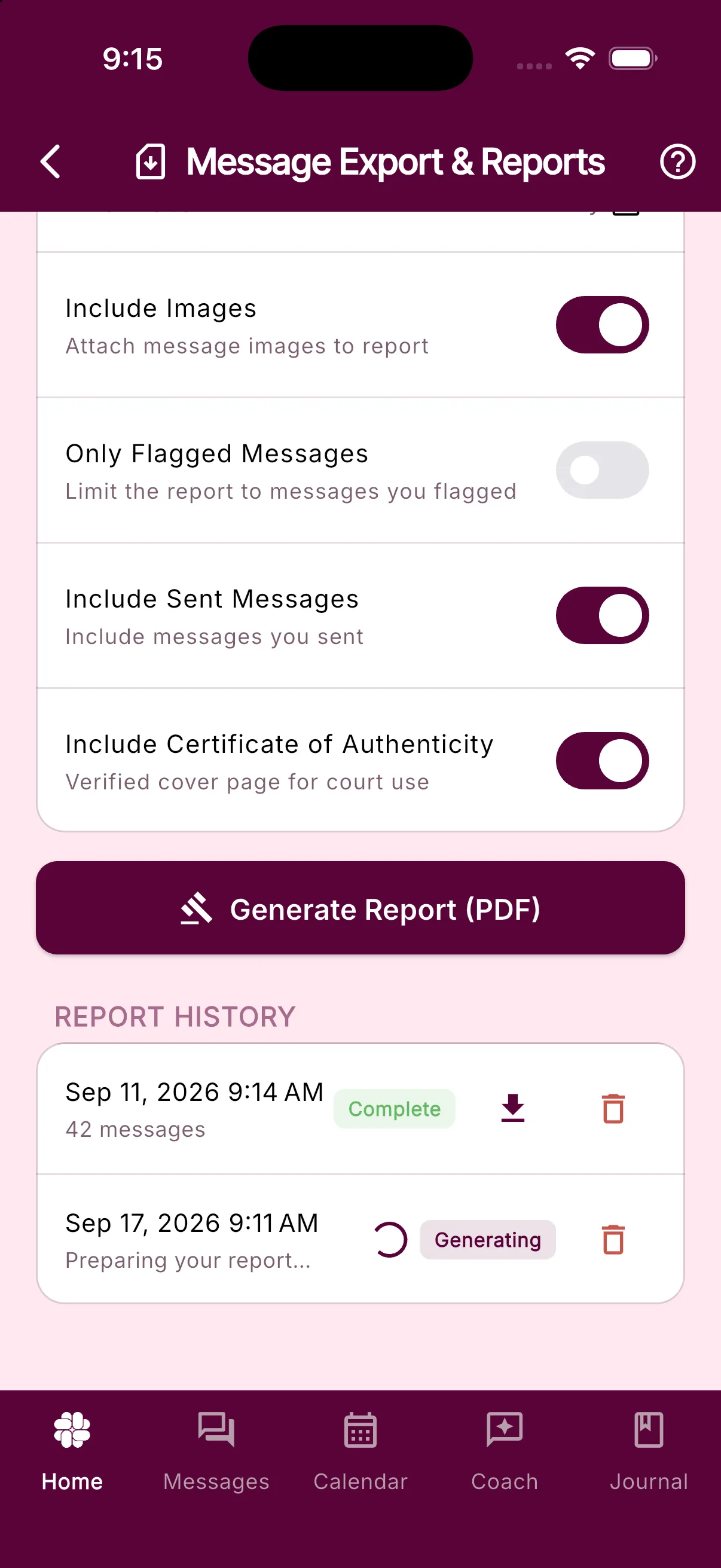
- Generating means the report is still being prepared.
- Complete means the download button should be available.
- Failed means the report could not be generated; the row may show a more specific reason.
Check Report History on the same report screen where you created an eligible PDF report. PDFs are generated in the background and appear there when they are ready.
If a report is stuck generating, Check Report History: Generating means the report is still being prepared. The history updates automatically; close and reopen the screen if it has not refreshed. Avoid repeatedly generating the same report while one copy is still processing.
If Your Report or Export Will Not Download
If a complete report shows Download failed:
- Confirm that the device has a working internet connection and available storage.
- Try the download button again once.
- Make sure the device allows BestInterest to open the system share or save dialog.
- Restart the app and return to Report History.
CSV data exports normally open the device’s share sheet after generation. If the share sheet closes or fails, generate the export again after checking connectivity and available storage.
Large expense reports and unfinished parts
Current versions can split a large expense report into smaller PDFs while preserving the selected records and receipts. If you see Your report needs multiple files, choose Generate in smaller parts. All parts together count as one report; failed attempts do not use the allowance.
- Download each completed Part N of M from Report History. Each part has its own verification details; keep all parts needed for the complete selection.
- If only some parts finish, use Retry unfinished parts. Completed files remain available.
- If selected source records changed, use Create a new report plan to include the current records. Already completed files remain available.
- If a receipt is unavailable, choose Review receipts and check the source expense. Very large or unreadable receipt files can still need a smaller source file or a new report without embedded receipts. A part can contain up to 200 embedded receipt attachments; one oversized attachment can still exceed processing limits.
If your installed version does not offer these actions, update BestInterest. Shortening the date range or disabling Include Receipts can also reduce report size. For missing Journal photos, select PDF Court Report with Include Images on; CSV contains no photo files.
Still Having Issues?
Contact support and include the export type, selected date range, approximate generation time, displayed status or error, device type, and app version. Support may be able to determine whether a completed file already exists even when the device could not download it.
Related Articles
Was this helpful?
Still need help?
Contact Support